-
Plugins
-
Release Notes
Configuration
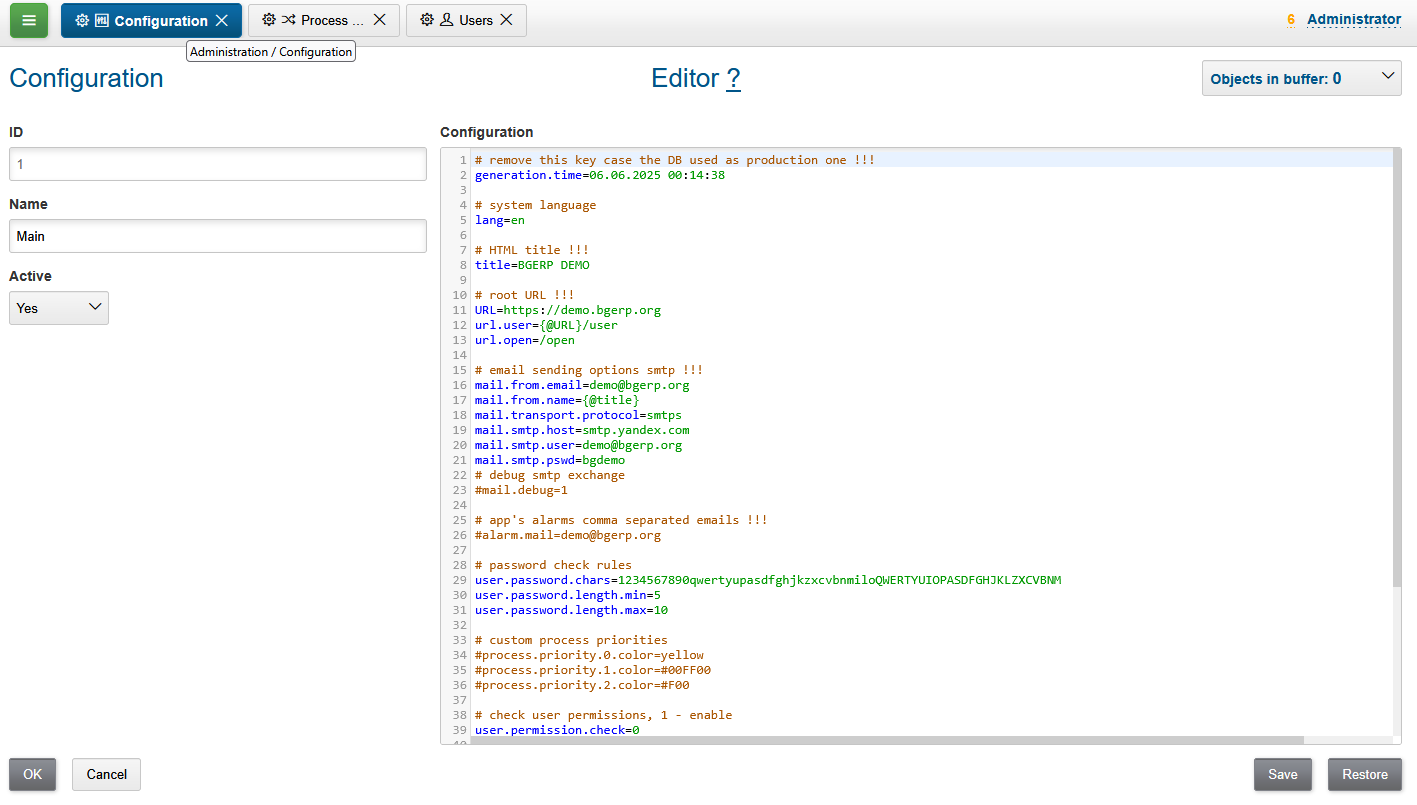
This configuration, sometimes also named Server Configuration stores the most part of settings for the application’s kernel and plugins. At one time can be in use only one configuration, marked as Active. Changes there are applied on the fly and do not require the app’s restart, except plugin’s enabling or disabling.
See the kernel configuration keys described below. At the beginning you must to set only some of them, marked with !!! string. The rest can be used when you would need to change related behavior. There are two types of default key values, shown as commented records.
-
strings are shown as it is, default values are the same as the commented, examples: lang, url.user
-
flags are show opposite it is, default values are opposite the commented, examples: mail.debug, scheduler.start
# system language, supported: ru, en
#lang=en
# browser window title !!!
title=BGERP DEMO
# application interface URL !!!
URL=https://bgerp.company.com
# URLs for user and open interfaces, when being proxied through different domains
#url.user={@URL}/user
#url.open={@URL}/open
# update url
#update.url=https://bgerp.org
# email SMTP settings !!!
mail.from.email=bgerp@company.com
mail.from.name={@title}
mail.smtp.host=
mail.smtp.user=
mail.smtp.pswd=
# use SMTP SSL
#mail.transport.protocol=smtps
# overwrite default port: 25 for SMTP, 465 for SMTP SSL
#mail.smtp.port=
# debug SMTP exchange
#mail.debug=1
# app alarms comma separated emails !!!
#alarm.mail=admin@company.com
## PARAM
# format of address param, available variables: index, сity, area, quarter, street, house, flat, room, pod, floor, comment, param_<ID> for city, street or house parameter values
#address.format=(${street})(, ${house})(, ${floor} floor)(, apt. ${flat})( ${room})( ${comment})( ${index})( ${city})( [${comment}])
# USSR style
#address.format=(${city})(, ${street})(, д. ${house})(, кв. ${flat})( ${room})
# substring search mode for street search instead of prefix-based
#address.street.search.mode=substring
# format for parameter type "phone"
# comma-separated item of parameter value, f.e.: +7 917 444-44-44 [Ivan Petrov]
#param.phone.format=(${number})( [${comment}])
# each ${number} in item is formatted by one of the matching comma-separated formats !!!
# Ufa, Russia
param.phone.format.number=+7 (347) XXX-XX-XX,+7 9XX XXX-XX-XX
# Munich, Germany
#param.phone.format.number=017X XXXXXXX,089 XXXXXXX
## USER
# check user permissions
#user.permission.check=1
# user password rules
#user.password.chars=1234567890qwertyuiopasdfghjklzxcvbnmQWERTYUIOPASDFGHJKLZXCVBNM
#user.password.length.min=5
#user.password.length.max=10
## CUSTOMER
# semicolon-separated roles (must start from customer) with titles for linking customer to process, f.e.: customer:Customer;customer-contact:Contact
#process.customer.link.roles=customer:Customer
# minimal substring length for customer search by title
#search.customer.title.min.substring.length=0
# customer description pattern for search results, can contain parameter values, f.e.: (born in ${param:73})(, lives by ${param:12})
#customer.reference.pattern=
## PROCESS
# execution group roles, semicolon-separated list of <ID>:<TITLE>, f.e.: 0:Execution;1:Follow
processGroupRoles=0:Execution
# process priorities, the list can be reduced or increased
#process.priority.0.color=#ffffff
#process.priority.1.color=#ffffff
#process.priority.2.color=#9ad78a
#process.priority.3.color=#9ad78a
#process.priority.4.color=#fff1a4
#process.priority.5.color=#fff1a4
#process.priority.6.color=#ffbe7e
#process.priority.7.color=#ffbe7e
#process.priority.8.color=#ffbe7e
#process.priority.9.color=#fd7d89
# process priority description, shown when changing
#process.priority.<PRIORITY>.description=<DESCRIPTION>
# HTML support in process description and message texts
#text.html=1
## STARTUP
# disable scheduler run
#scheduler.start=0
# enable all plugins by default
#plugin.enable.default=1
# comma separated list of Java classes implementing java.lang.Runnable, running on server start
#runOnStart=
# comma separated list of Java classes, instantiated on server start
#createOnStart=
## HTTP
# maximal size of uploaded file in MB
#file.upload.max.size.mb=3
# timeout of user HTTP session activity, in seconds
#user.session.timeout=300
# remove log/access logs older than days
#log.access.max.days=60
# HTTP header with client IP, when using proxy
#header.name.remote.addr=X-Real-IP
## WEB APP
# disable checking of browser version
#check.browser=0
# disable client-side pooling, might be useful for development
#pooling.enable=0
## DB
# read-only DB usage, no modification there is performed
#db.readonly=1
Include
The Configuration may be separated on many parts, in order to handle a big amount of records there. Included configurations are shown under a parent one with indentation. The only one level of depth is supported there. The hierarchy is only visual, all the records have the equal meaning.
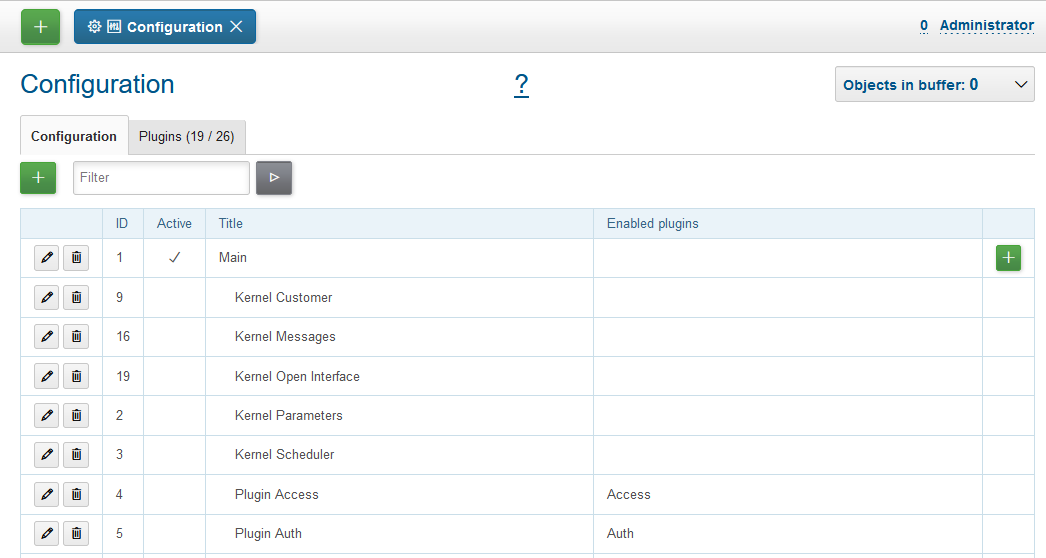
To make an included configuration, the add button on the Main ones has to be clicked.
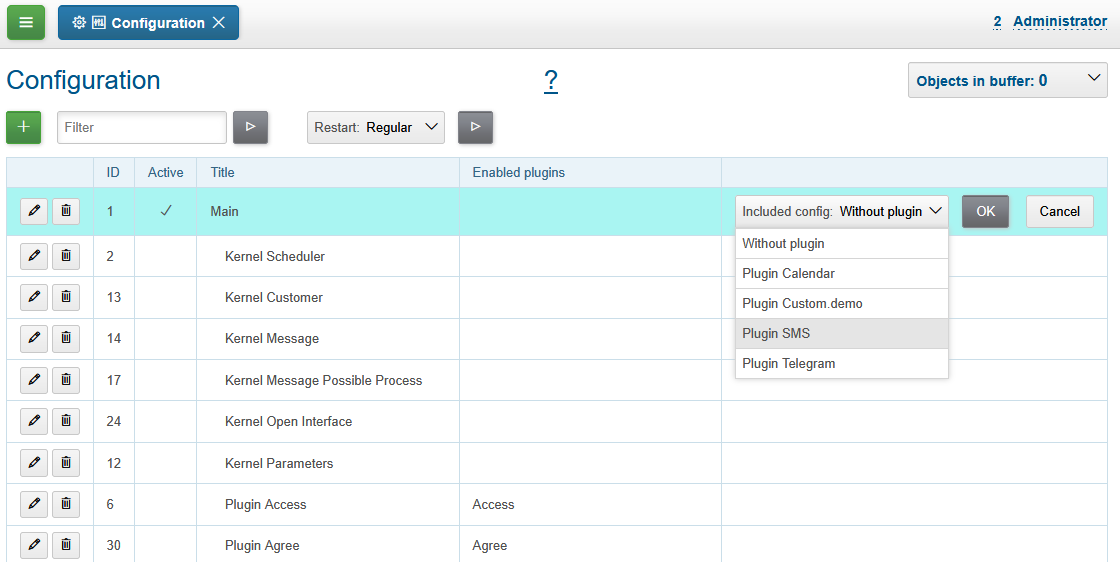
The option Without plugin creates an empty include, there can be placed some of kernel settings.
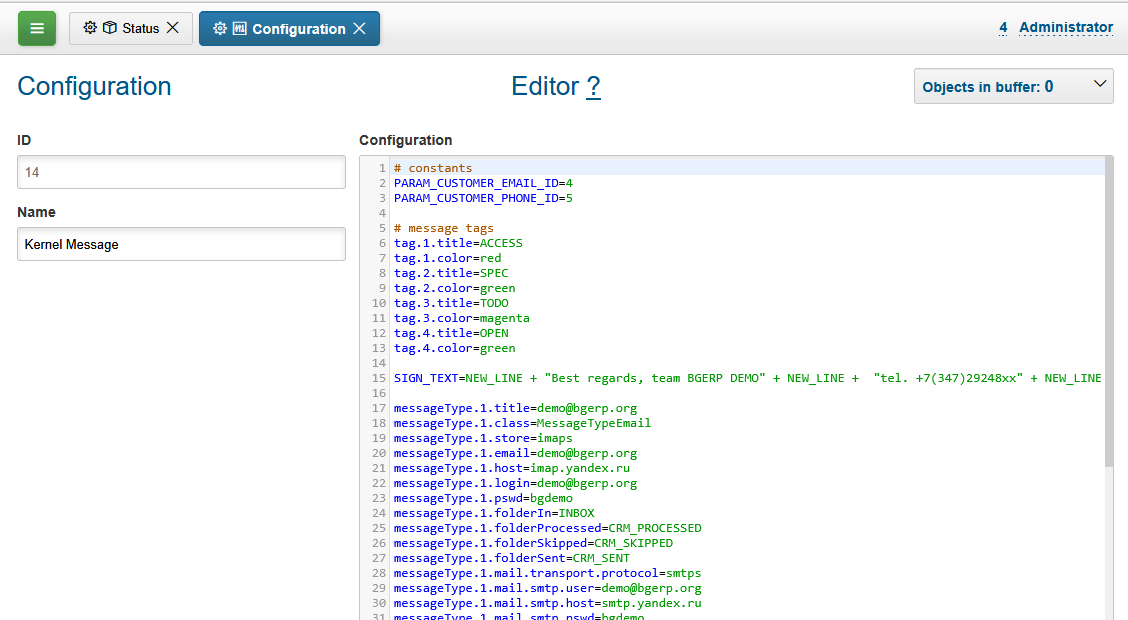
Plugin
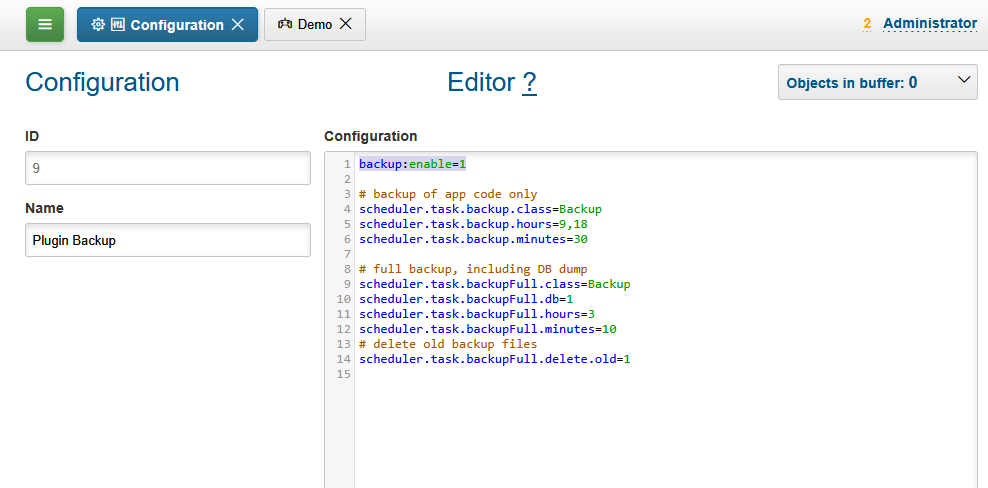
The most part of the product’s functionality is available in form of plugins. All of them are presented in the system, but enabled only by adding <PLUGIN_ID>:enable=1 record in configuration. Such enabling records can be added to any part there, but normally for plugins with many settings created a separated include with title Plugin <PLUGIN_TITLE>.
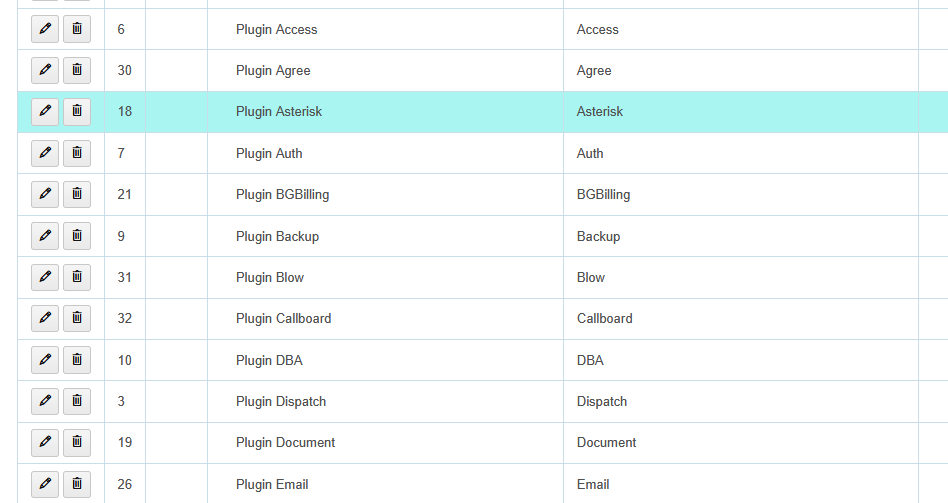
| Enabled in an include plugins are shown on the right table column. |
License
License management tool can be found in menu Administration / License. The license file lic.data is placed in the application root directory and enables usage of defined plugins and restricts number of concurrent user sessions.
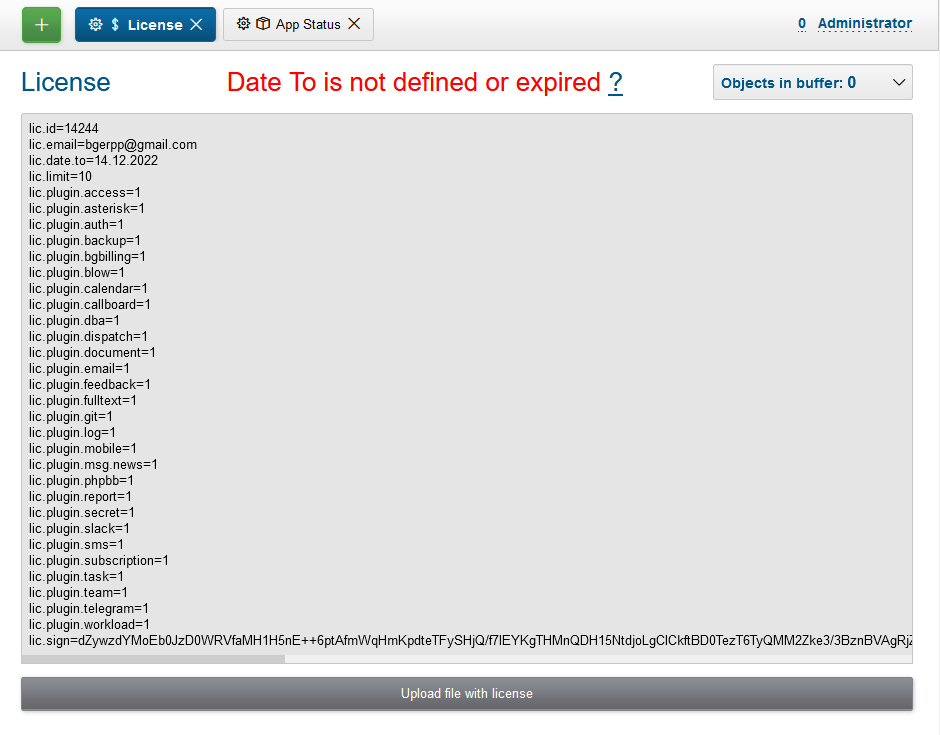
In the top state area is shown the current license state, below is placed the current license content and a buttom for uploding file. The actual demo license is always awailable on the project’s web-site.
Data
| You can skip this section at first reading. |
The application stores almost all the data in SQL DB, access credentials for that are defined in bgerp.properties file. After the configuration is loaded from DB, records from bgerp.properties have been applied again. That means, you can overwrite any key in the file.
In DB are also stored file’s metadata, but file bodies are persisted in filestorage directory.
| In former versions file bodies were stored as a flat list, that may be changed running org.bgerp.exec.MoveToSubDirs class. |
Users
User
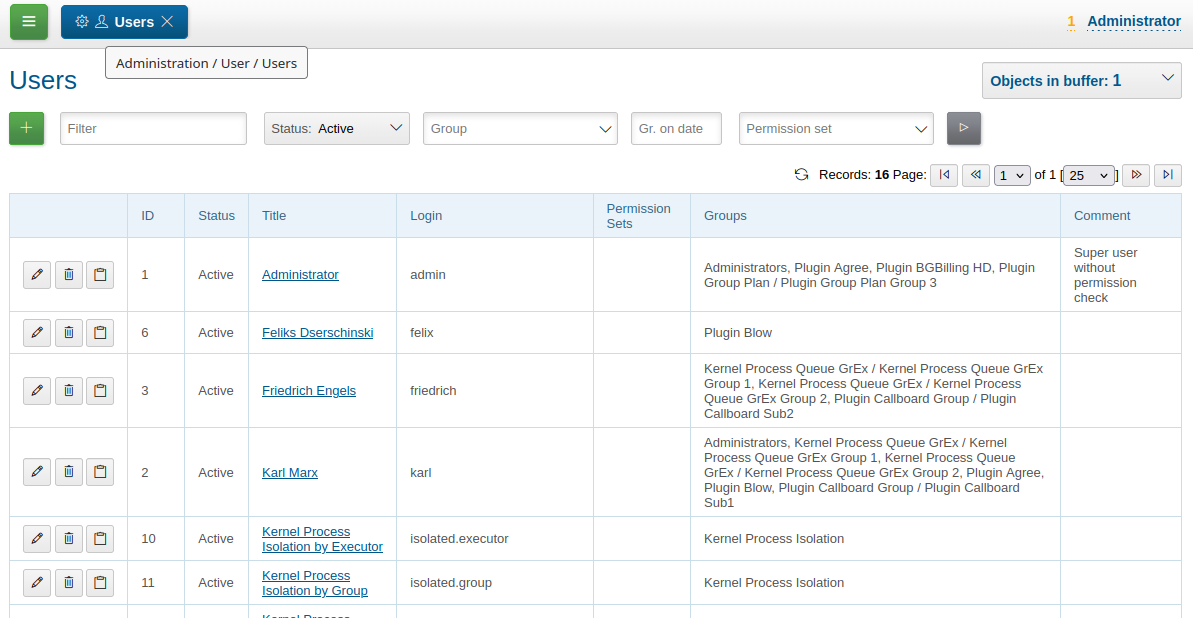
User list.
Editor.
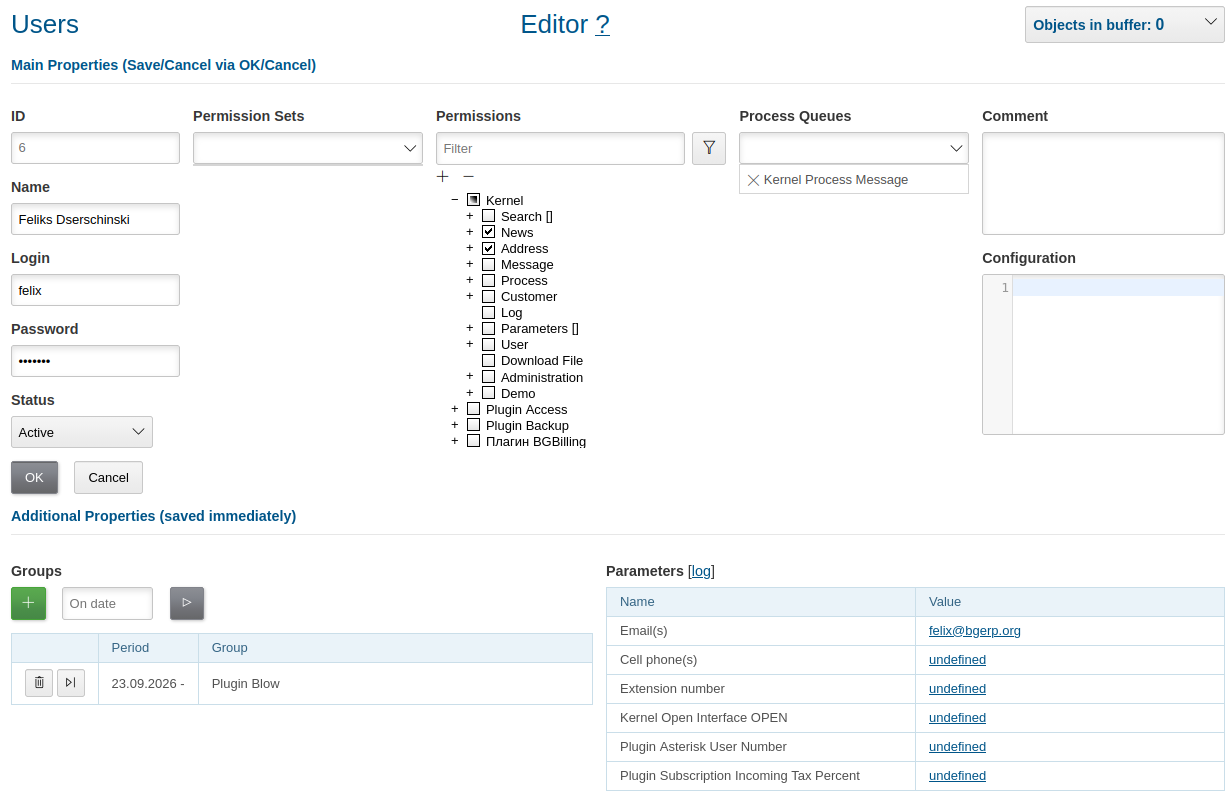
On the left column placed auth credentials and the user status, only Active one can log-in. Right of them can be defined permission sets and direct user permissions. After set allowed for the user process queues, user comments and configuration.
| In the bottom area listed user groups and parameters, both immediately stored after editing, unlike top-located main user properties. |
Configuration
Working user configuration has been merged from configurations of all user permission sets, including group-assigned, current user groups and user configuration. It supports the following keys:
# disable permission check
user.permission.check=0

# comma-separated tools, opened pinned after auth; in this case - search and message queue
on.login.open.pinned=/user/search,/user/message/queue

# comma-separated tools, opened after auth; in this case - message queue
on.login.open=/user/message/queue

# disable client-side pooling for the user, might be useful for development
pooling.enable=0
Permission
By default authorized with login and password user has full rights, permission check can be enabled in configuration.
| Even then the built-in Administrator user with ID=1 bypasses all the controls. Therefore change its default password and keep it safe. |
Tree
All the app’s actions organized to a permission tree with checkable nodes.
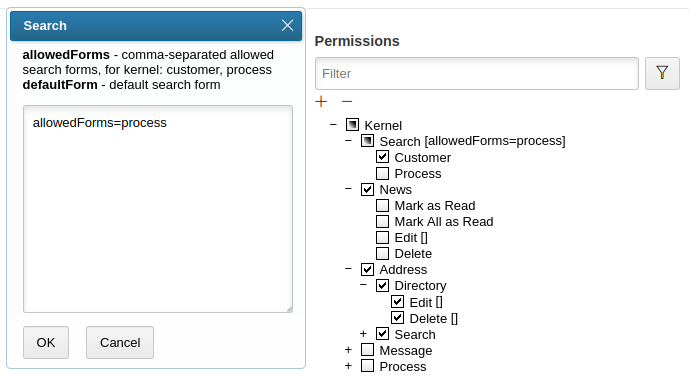
Some of those, like Search on the screen above, have additional options in square braces. To reach them, click the braces and fill desired options in opened dialog according the shown hints.
| For the user with ID=1 these options have not applied, he is allowed to do any action with empty options. |
Depending on allowed user permissions and their options some UI elements can be hidden.
Set
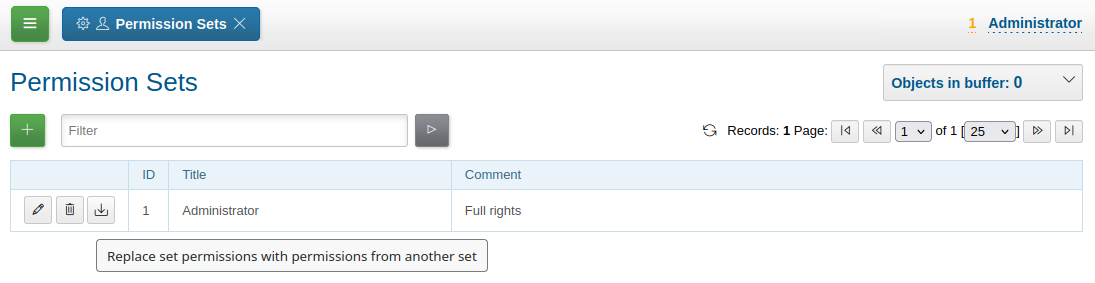
A permission set defines permissions, which can be assigned to a user directly or through groups. Here is the sample of Administrator set with all possible permissions. It makes sense to create a such one and assign to administrator users before enabling permissions check.
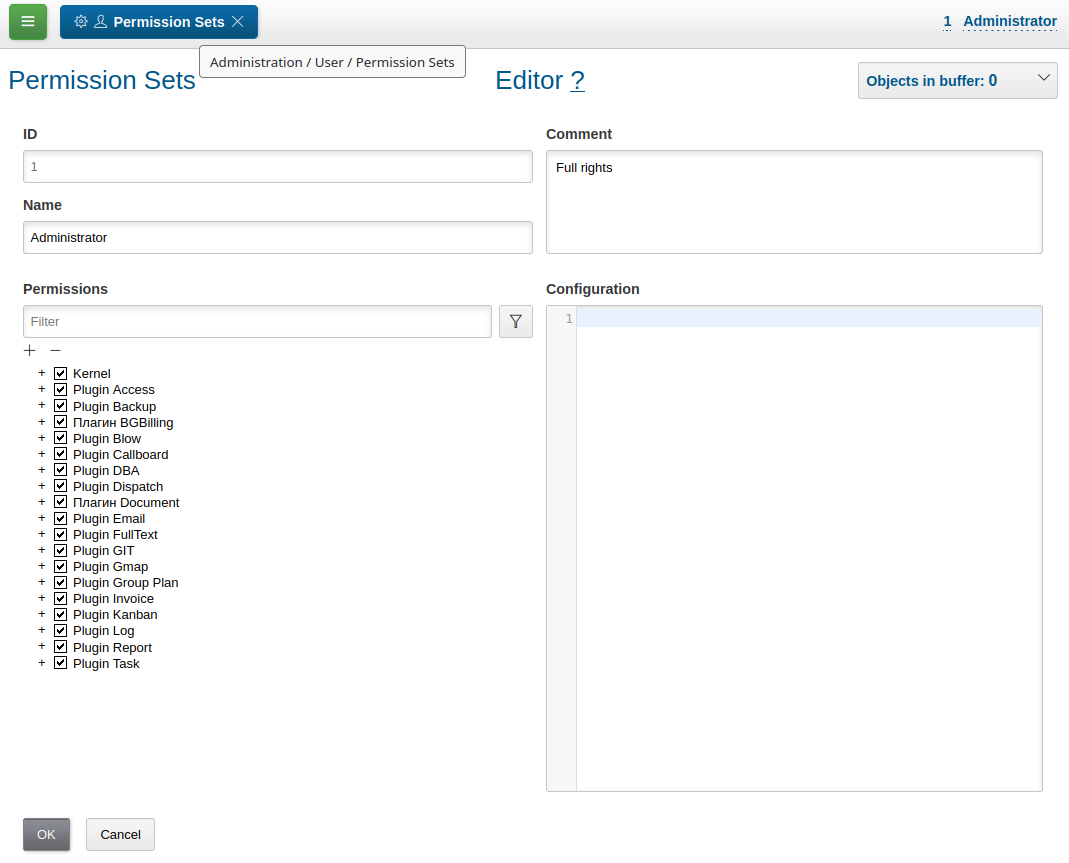
| After application update you might need to select permissions of new features in the tree. |
In permission table except of editing them you can replace a set to another one.
Correct
You may notice such warnings in application logs after update.
06-27/19:24:51  WARN [http-nio-9088-exec-1] PermissionNode - Not found action node 'ru.bgcrm.struts.action.admin.WorkAction:shiftList', run 'org.bgerp.task.CorrectPermissions' class to fix
06-27/19:24:51  WARN [http-nio-9088-exec-1] PermissionNode - Not found action node 'ru.bgcrm.struts.action.admin.WorkAction:callboardAvailableShift', run 'org.bgerp.task.CorrectPermissions' class to fix
They mean that not primary action IDs were used to store in DB. Nothing critical, but later execute the mentioned class CorrectPermissions to fix it.
| That action breaks backward compatibility of DB content, run it only when you do not need to roll back. |
Group
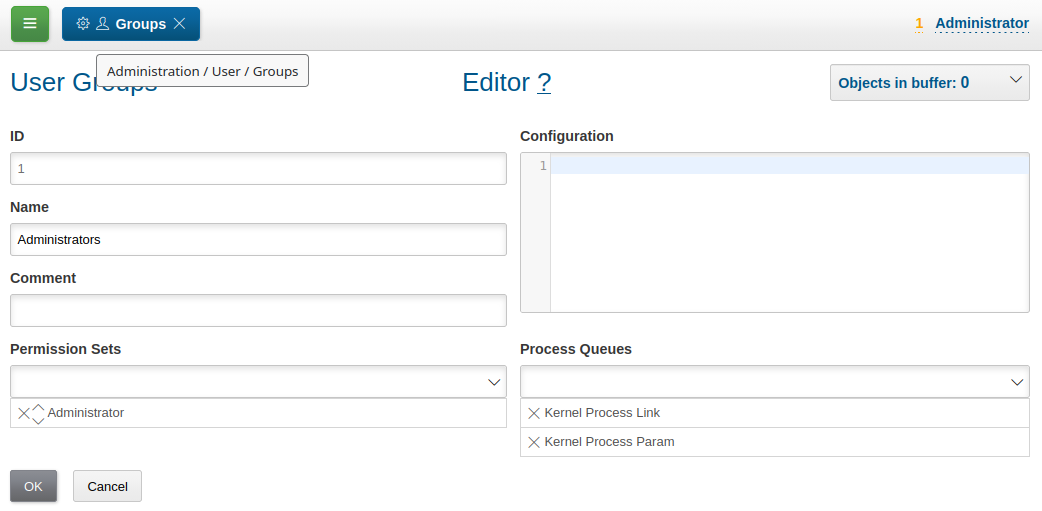
User groups define user permission sets, allowed process queues, configuration. Together with users inside they are assigned as process executors.
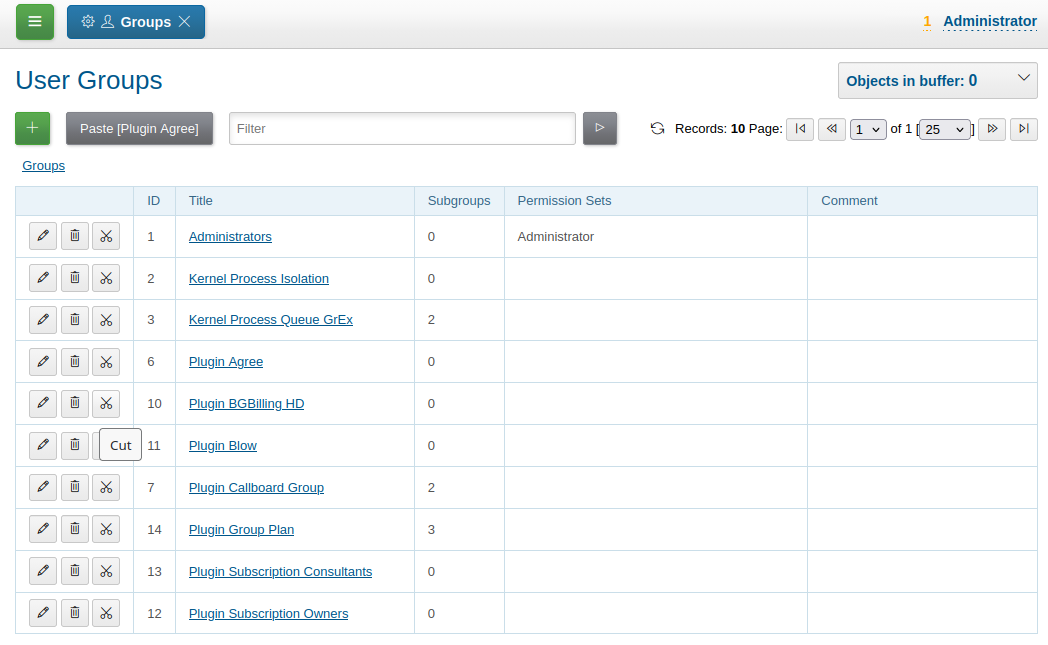
The groups are arranged in a tree-like structure reflecting the enterprise’s organizational structure. The structure can be changed using Cut and Paste buttons.
Groups assigned to a user in the user editor with date period, there are may be multiple groups in a same day.
Isolation
Isolation restricts user-allowed processes and applied to all process-related actions, working independent to permissions. The isolation can be defined in user configuration.
isolation.process=<PROCESS_ISOLATION>
Where:
-
<PROCESS_ISOLATION> - process isolation mode, can take one of the following values:
-
executor - uses sees only processes where he is an executor;
-
group - uses sees only processes where execution groups are intersected with his current groups.
For group mode may be defined additionally process types which have executor isolation level.
isolation.process.group.executor.typeIds=<TYPE_IDS>
Where <TYPE_IDS> comma-separated list of process type IDs.
Process Creation Types
Isolation mode group restricts available types for process creation.
The same logic without isolation can be archived using onlyPermittedTypes option in permission options.
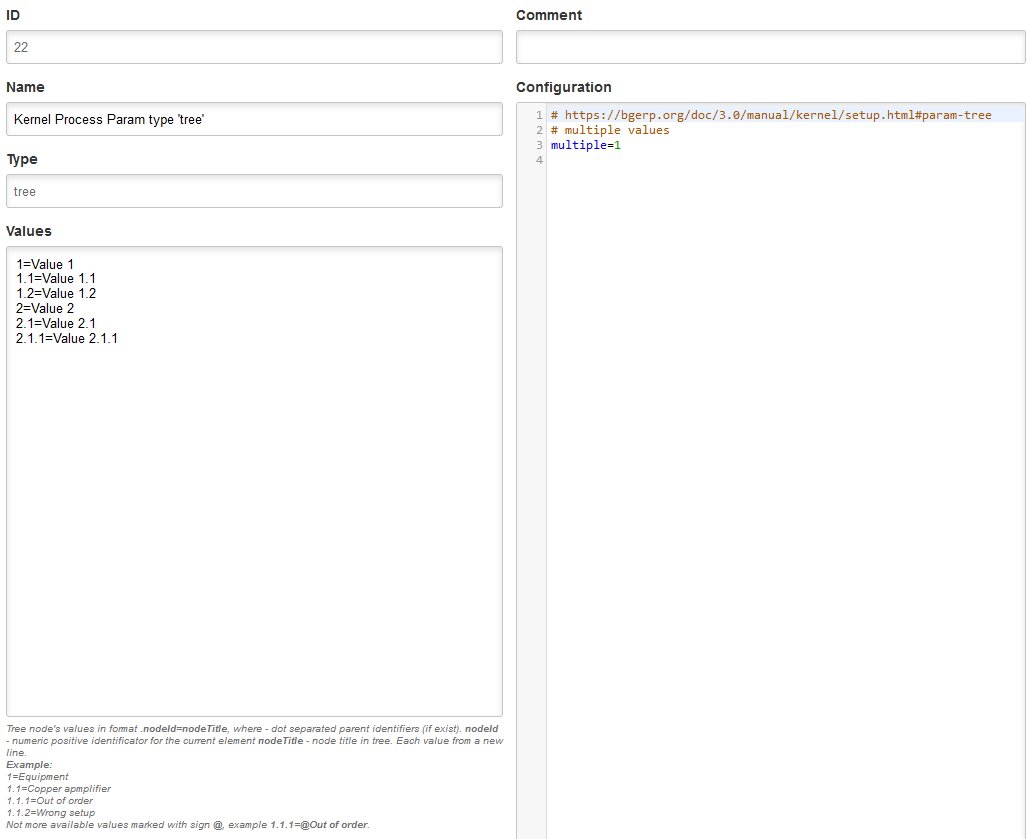
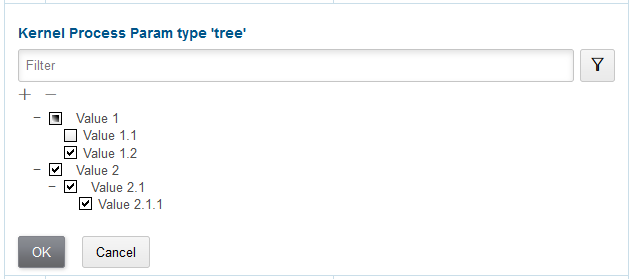
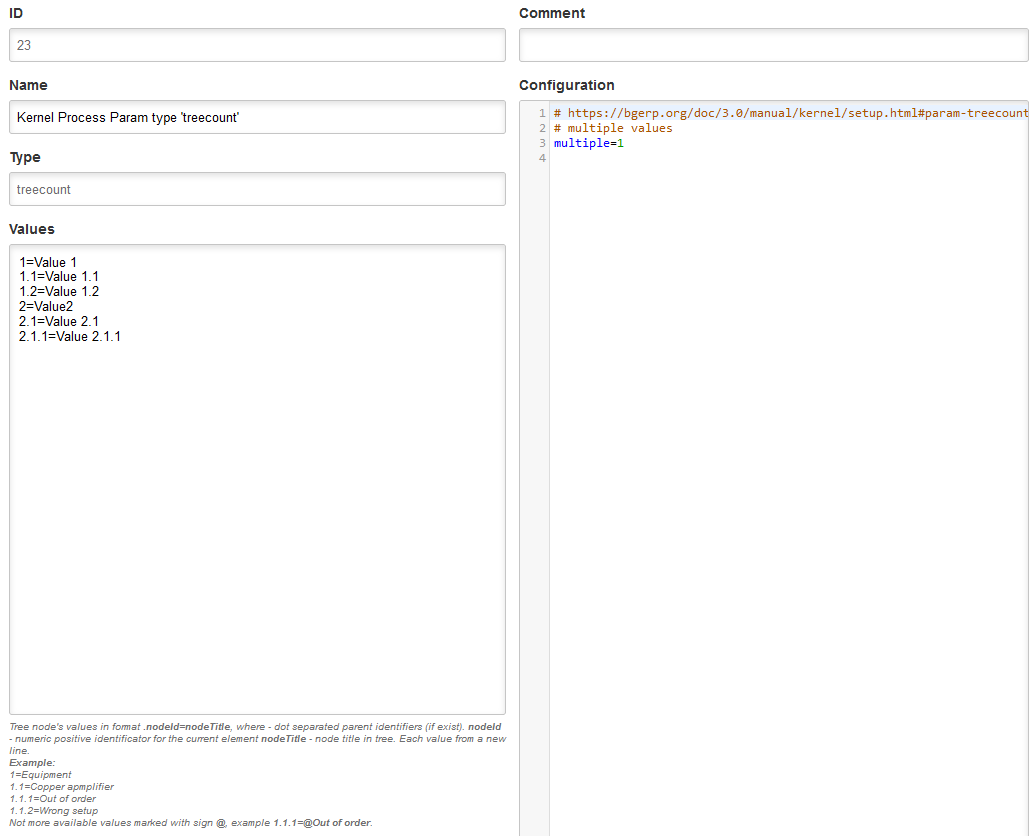
Parameters
Many application entities, like users, can have configured parameters of different types.
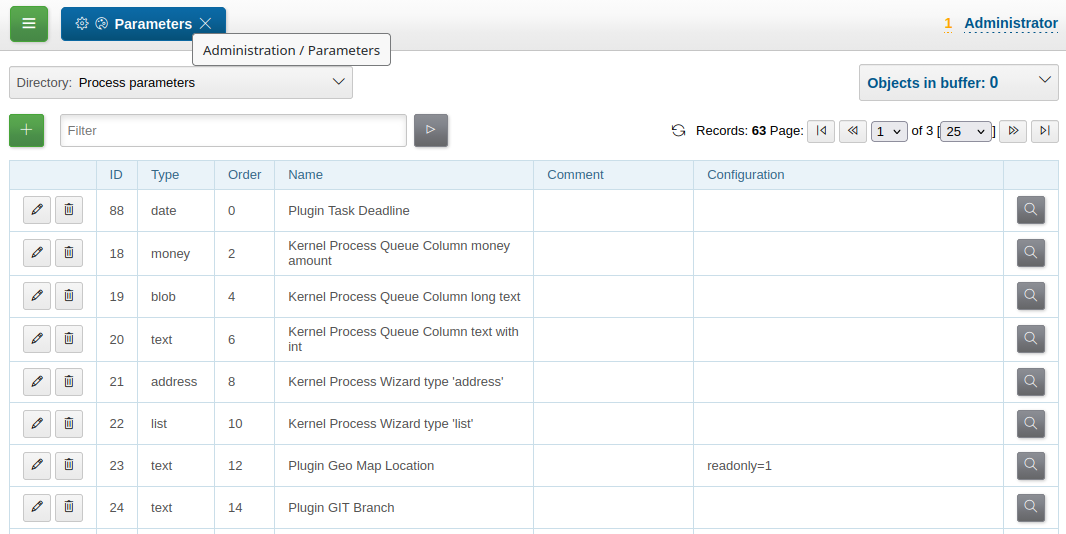
The parameter editor looks the same for all types, with the exception of enumerated types, whose editors are shown below. In addition to the type itself, the properties specify the parameter’s numerical order and its configuration.
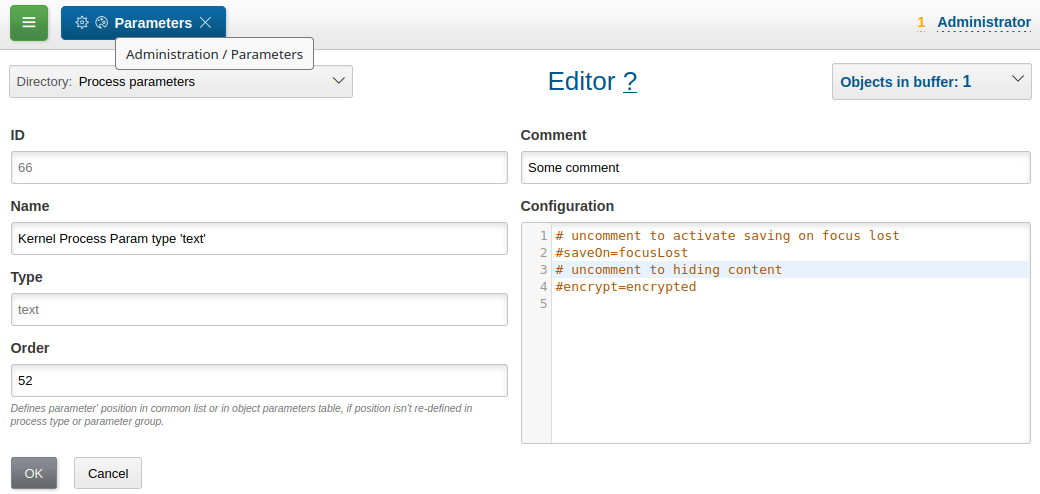
Parameter ID and comment are shown in values table as tooltip popup on parameter title cell.

Parameter configuration keys differ by parameter type; optional values common for all types are:
# comma-separated parameter IDs, must be set before the parameter
requireBeforeFillParamIds=<IDS>
# comma-separated parameter IDs, must be empty before the parameter set
requireBeforeEmptyParamIds=<IDS>
# comma-separated tag strings, tagged parameter can be viewed or edited only
# with explicitly allowance in permission options
tags=<TAGS>
# read only parameter, can't be edited in UI
readonly=1
# parameters table row style
style=<STYLE>
Where:
-
<IDS> - comma-separated parameter IDs;
-
<TAGS> - comma-separated tag strings;
-
<STYLE> - CSS style attribute value.
address
Address parameter, referencing houses in Address Directory. In parameter configuration may be defined the following options.
# multiple values
multiple=1
How does the parameter look like in table and editor.

| Format of address string can be configured. |
Street and house can be chosen and filtered from drop-downs.
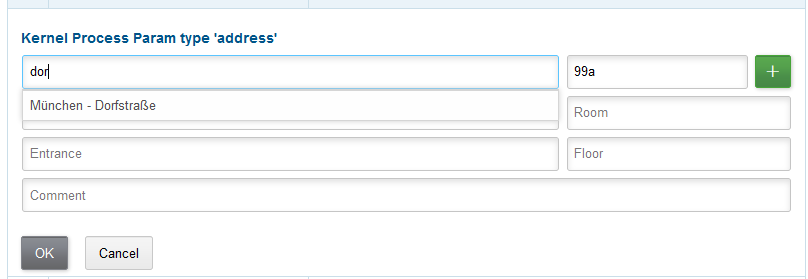
The street search may be performed over multiple substrings as well.
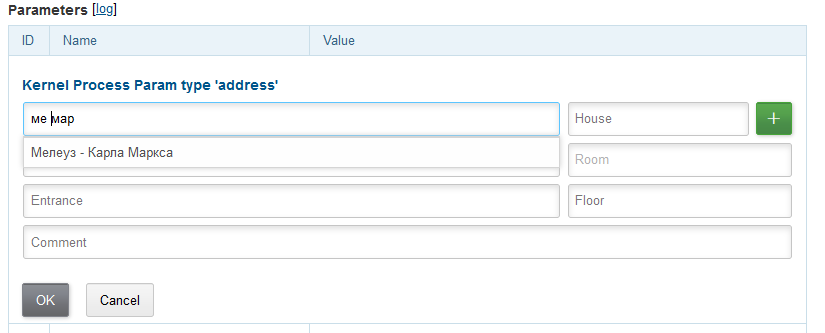
The street search mode can be changed to simple substring search in configuration.
The parameter should be used for storing addresses in limited areas, e.g. service delivery address. Not registration address of arbitrary customers, as you will need all of them stored in directory first.
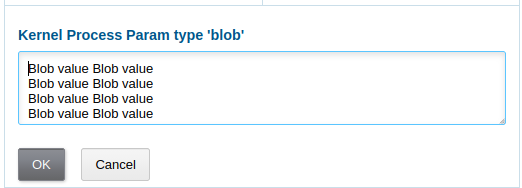
blob
A large multi-line string of up to 65000 characters. The following options can be specified in the parameter configuration:
rows=<ROWS>
saveOn=<SAVE_ON>
Where:
-
<ROWS> - the number of lines displayed in the editor; default is 4;
-
<SAVE_ON> - the save mode; can be "focusLost" (saving when the field loses focus); by default, saving occurs upon clicking the OK button.
Values table.
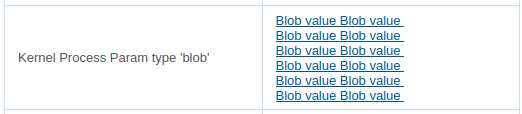
Value editor.
date
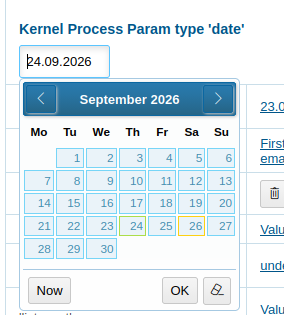
Date: year - month - day. In the parameter configuration, the following optional keys can be specified:
# ability to change the month
changeMonth=true
# ability to change the year
changeYear=true
yearRange=<YEAR_RANGE>
# ability to edit the field from the keyboard
editable=1
saveOn=<SAVE_ON>
Where:
-
<YEAR_RANGE> - the range of years displayed in the year drop-down list; values can be relative to the current year, for example: -10:+30, or relative to the currently selected date, for example: c:-10:c+30; by default: c-10:c+10;
-
<SAVE_ON> - save mode; can be focusLost (when the field loses focus) or enter (when the Enter key is pressed); by default the mode is enter; applies only when editable=1.
| For the yearRange key, the zero value should be specified as +0, for example: -10:+0 |
Values table.

Value editor.
datetime
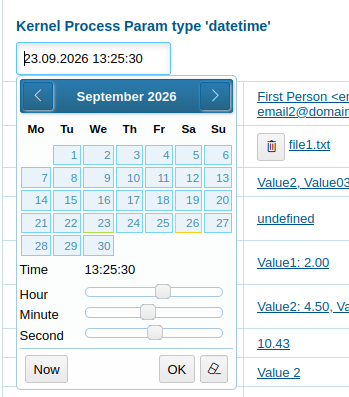
Date and time with varying precision. In the parameter configuration, the following optional keys can be specified:
type=<TYPE>
stepHour=<STEP_HOUR>
stepMinute=<STEP_MINUTE>
Where:
-
<TYPE> - can take the values ymdh, ymdhm, ymdhms depending on the required precision of the field;
-
<STEP_HOUR> - the step used in hour selection;
-
<STEP_MINUTE> - the step used in minute selection.
Values table.

Value editor.

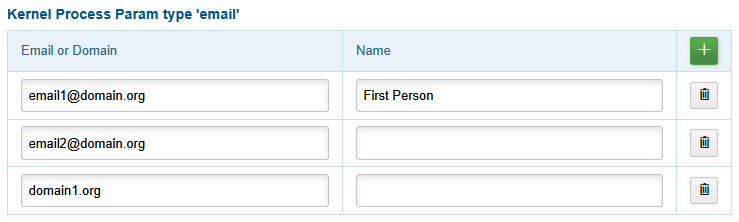
file
One or multiple files. In configuration may be defined the following non-mandatory options:
# multiple values
multiple=1

list
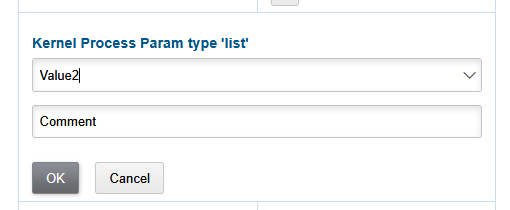
A parameter with values selectable from a predefined set. he values can be defined either within the parameter settings or in an external referenced dictionary. For certain values, it is possible to allow or require a comment to be provided.
In configuration may be defined the following non-mandatory options:
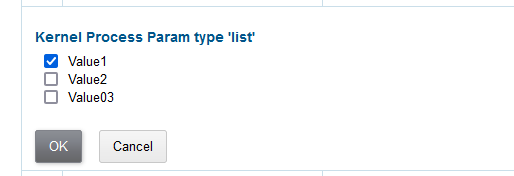
# multiple values
multiple=1
# saving immediately after selecting a value, without pressing the OK button (only for single-value parameters)
saveOn=select
editAs=<EDIT_AS>

# sort values by titles instead of IDs
sort.mode=byTitle

allowCommentValues=<ALLOW_COMMENT_VALUES>
needCommentValues=<NEED_COMMENT_VALUES>

directory=<DIR_NAME>
availableValues=<VALUES>
availableValuesInnerJoinFilter=<JOIN_TABLE>;<JOIN_COLUMN>;<JOIN_FILTER>
Where:
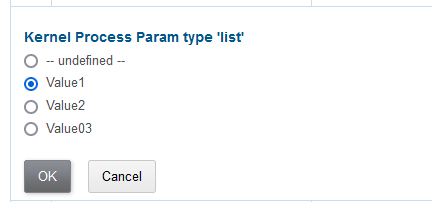
<EDIT_AS> – can take the following values: combo (default) – dropdown list, radio – selection using radio buttons, select – dropdown list with search capability; <DIR_NAME> – the reference directory from which the values are taken; for example, "address_city" for cities. If no reference directory exists, the values are specified directly in the parameter; <VALUES> – comma-separated allowed values; <ALLOW_COMMENT_VALUES> – a list of values for which comments are allowed; ranges can be specified, for example: 1-3,7,9-14; <NEED_COMMENT_VALUES> – a list of values for which comments are required, specified in the same way as <ALLOW_COMMENT_VALUES>; <JOIN_TABLE> – the name of the table used for the SQL INNER JOIN filtering operation with the reference table; <JOIN_COLUMN> – the table column used to JOIN with the id column of the reference table; <JOIN_FILTER> – an additional condition for the INNER JOIN.
Example of configuration with values as list of areas from city with ID=3.
multiple=1
directory=address_area
availableValuesInnerJoinFilter=address_city;city_id;id IN (3)
Value editor.
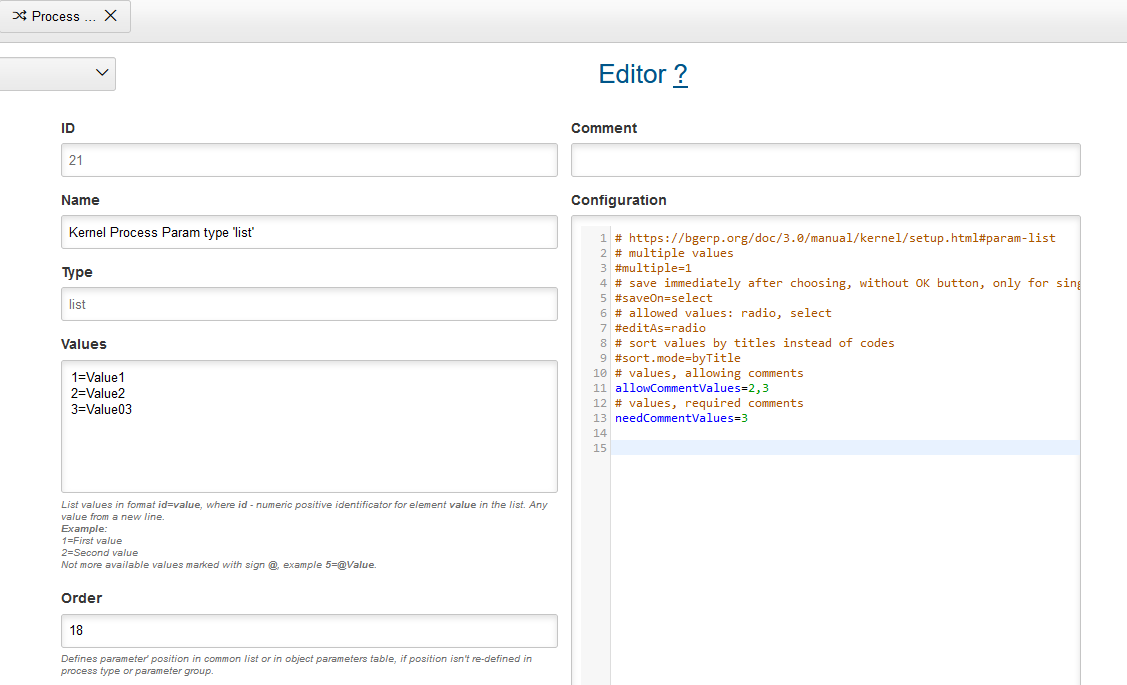
Values table.

Single value editor.

Single value editor editAs=radio
Single value editor editAs=select
Multiple values editor.
listcount
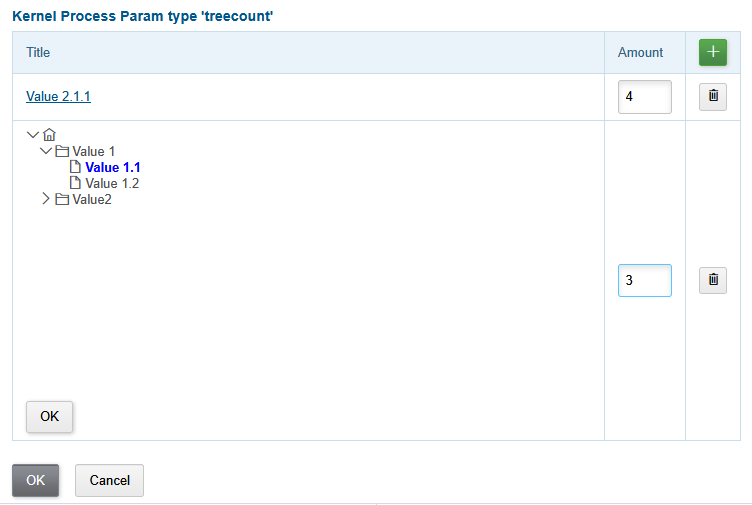
Allows you to store enumerated values with specified quantity.
In configuration may be defined the following non-mandatory options:
# multiple values
multiple=1
# pre-selected values
defaultValues=<VALUES>
WHere:
-
<VALUES> - comma-separated IDs of the pre-selected values.
The screenshot below shows the parameter properties editor; configuring values is similar to a "list" type parameter.
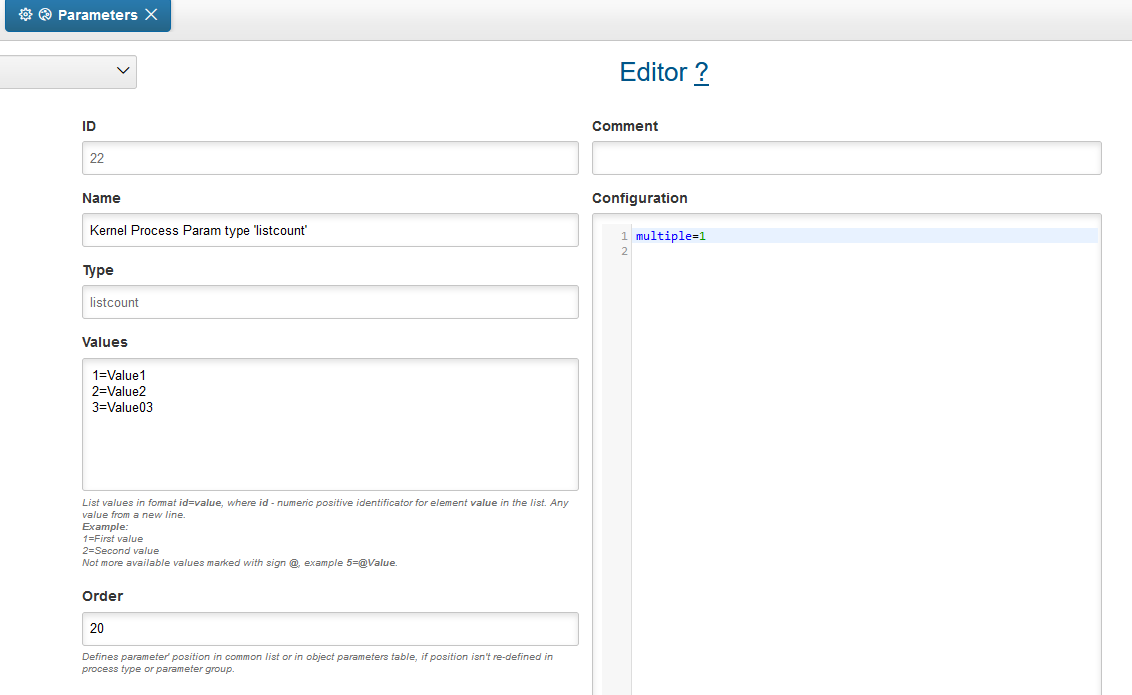
Values table.

Value editor for a single value.

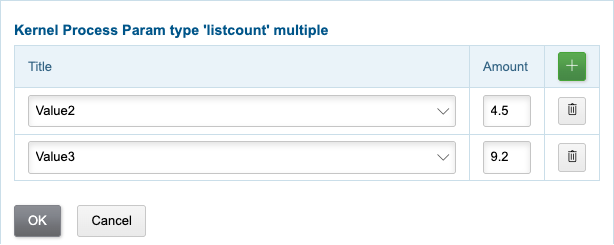
Values editor for multiple values.
Values are added by the + button in the table header, every row has its own value select, amount field and delete button.
money
Decimal number with two digits after delimiter.
In configuration may be defined the following non-mandatory options:
saveOn=<SAVE_ON>
Where:
-
<SAVE_ON> - save mode, can be focusLost, by default stores by pressing Enter or OK button.
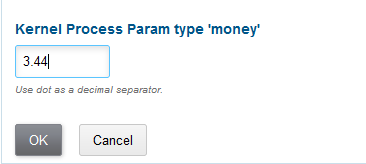
Values table.

Values editor.
phone
One or multiple phone numbers with optional comments, format is configurable.
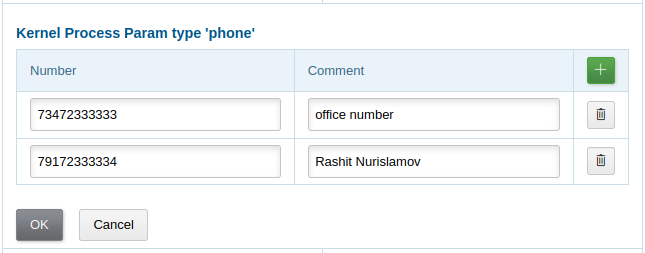
Values table.

Values editor.
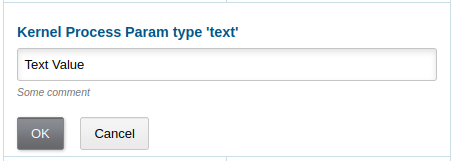
text
A single-line string up to 250 characters long. In the parameter configuration, the following optional keys can be specified:
saveOn=<SAVE_ON>
# parameter contains URL, shown as a link
show.as.link=<SHOW_AS_LINK>
# instead of the parameter value, <ЗНАЧЕНИЕ ЗАШИФРОВАНО> is displayed; the parameter can only be corrected, not viewed
encrypt=encrypted
Where:
-
<SAVE_ON> - save mode; can be focusLost; by default, saving occurs when the OK button or Enter is pressed;
-
<SHOW_AS_LINK> - 1 to show the parameter value as a URL; hideProtocol - hides the protocol prefix.
In addition, one or more patterns of the following form can be specified in the parameter configuration:
regexp.<N>.title=<TITLE>
regexp.<N>.regexp=<REGEXP>
Where:
-
<N> - the numeric index of the regular expression;
-
<TITLE> - the pattern name;
-
<REGEXP> - a regular expression describing the pattern.
If such patterns are defined in the configuration of a text parameter, the entered string will be checked against at least one of the patterns. For example:
regexp.1.title=<Street>, <House Number> <Postal Code>, <City>
regexp.1.regexp=[\w\s\-]+, \d+\w* \d{5} [\w\s\-]
regexp.2.title=<город без г.>,<улица без ул.>,<дом без д.>,<номер квартиры>
regexp.2.regexp=[а-яА-Я\s\-]+,[\dа-яА-Я\s\-]+,\s*[\dа-яА-Я/]+,*\s*\d+
Values table.

Values editor.


Addresses
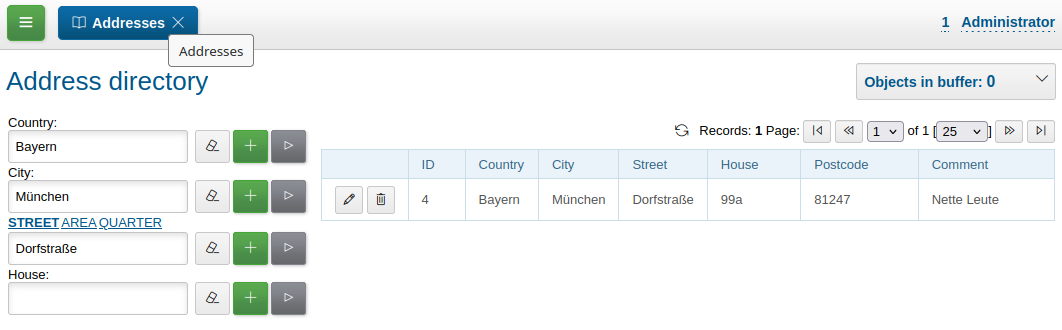
The address directory should be used only for limited populated areas where services are provided. Parameters of type address that use the directory allow searching by city, street, etc. It is not advisable to store legal addresses of organizations, post addresses, in the address directory, as this would lead to unnecessary growth and maintenance complexity.
Execution
Run
In menu Administration / Execution / Run can be executed any Java class, implementing java.lang.Runnable.
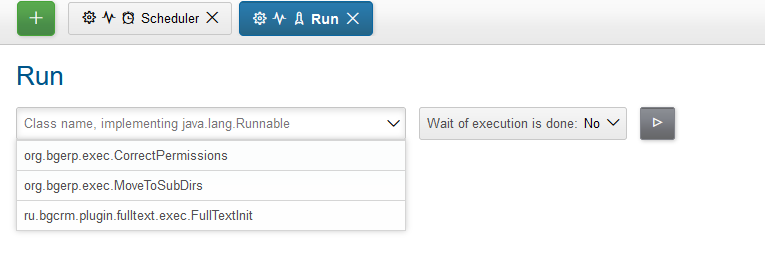
When Wait of execution is done is selected to Yes, execution logs can be obtained from enabled User Session Log.
Scheduler
Scheduler allows periodically run Java classes, which extend org.bgerp.app.exec.scheduler.Task. To configure scheduled tasks add the following blocks to server configuration:
scheduler.task.<ID>.class=<NAME>

# running time in Cron format; supported ranges: 1-2; divisible: */3; enums: 1,2
scheduler.task.<ID>.minutes=<MINUTES>
scheduler.task.<ID>.hours=<HOURS>
scheduler.task.<ID>.dm=<DM>
scheduler.task.<ID>.month=<MONTH>
scheduler.task.<ID>.dw=<DW>

# for disabling the task
#scheduler.task.<ID>.enable=0
Where:
-
<ID> - unique string ID;
-
<NAME> - simple of full name of the running class;
-
<MINUTES> - minutes 0 - 59;
-
<HOURS> - hours 0 - 23;
-
<DM> - days of month 1 - 31;
-
<MONTH> - months 1 - 12;
-
<DW> - days of week 1 - 7, 1 is Monday.
The tasks may be provided by plugins, for the running kernel’s news add the configuration block:
// PzdcDoc snippet of: 'Configuration of "News" task', lines: 6 - 8

scheduler.task.news.class=News
scheduler.task.news.hours=3
scheduler.task.news.minutes=4
Configured tasks must be visible in menu Administration / Execution / Scheduler
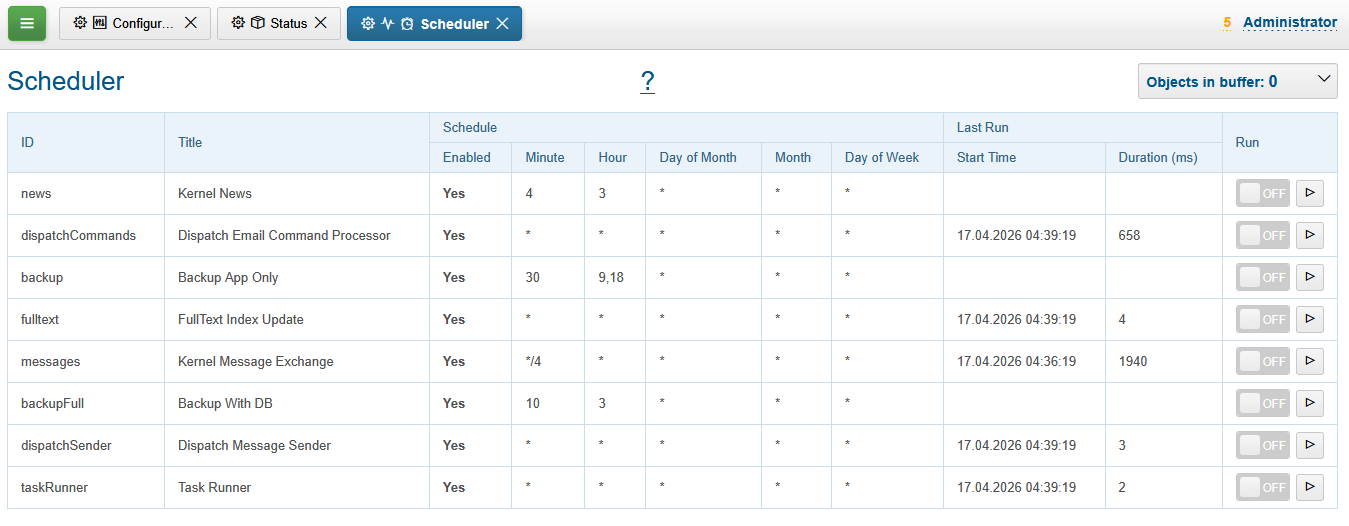
In the right column table placed buttons, allowing to run a scheduled tasks at any moment of time. If a toggle selected, task is running in an request thread, allowing to follow logs.
| Scheduler running can by disabled in configuration. |