Setup
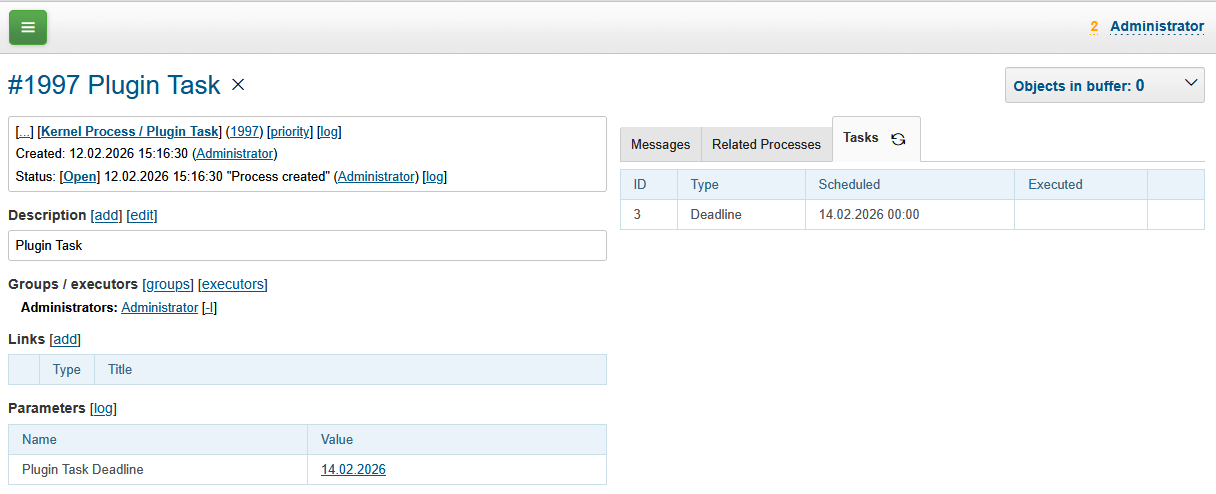
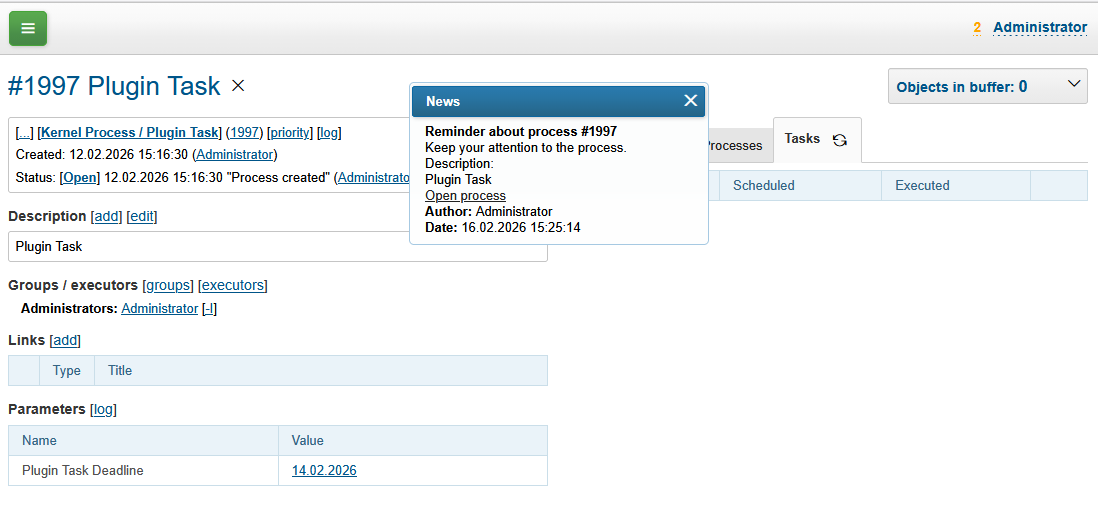
| You can see (process Plugin Task) the plugin operation in Demo System. |
Configuration
Make sure the plugin is enabled and append to the configuration for every task type:
task:type.{@inc:cnt}.id=<ID>
task:type.{@cnt}.title=<TITLE>
task:type.{@cnt}.doExpression=<JEXL>
Where:
-
<ID> - unique string identifier;
-
<TITLE> - displayed task title;
-
<JEXL> - JEXL expression with the logic.
In addition to Standard Process Context, the JEXL script context also receives:
-
taskObject - an object of class ru.bgcrm.plugin.task.model.Task;
-
taskType - an object of class ru.bgcrm.plugin.task.model.TaskType.
Checking and executing tasks is performed by the TaskRunner class, the launch of which is configured in Scheduler.
Here is an example of task type configuration, sending news reminders:
task:type.{@inc:cnt}.id=reminder
task:type.{@cnt}.doExpression=<<END
    text =
        "Please pay attention to the process in which you are listed as an executor.<br/>" +
        "Description:<br>" + process.getDescription();
    text += "<br/><a href='#' onClick='$$.process.open(" + process.getId() + "); return false;'>Open Process</a>";
    news = new("ru.bgcrm.model.News", true, "Reminder about the process #" + process.getId(), text);
    news.setUserId(taskObject.getConfig().getInt("userId", 0));
    // send a news to process executors
    new("ru.bgcrm.dao.NewsDAO", conSet.getConnection()).updateNewsUsers(news, process.getExecutorIds());
    // or to the users with ID 1 and 2
    // new("ru.bgcrm.dao.NewsDAO", conSet.getConnection()).updateNewsUsers(news, { 1, 2 });
END
Process Type
To enable the Tasks tab, add process type configuration.
task:processShowTasks=1
A task itself can be created using Default Process Change Listener. For the reminder example task type above it has been done on change a process parameter of type date (you can use datetime as well) with ID 39.
onProcessEvent.{@inc:cnt}.events=paramChanged:39
onProcessEvent.{@cnt}.doExpression=<<END
    t = new("ru.bgcrm.plugin.task.model.Task", "reminder", process.getId(), event.getValue());
    t.getConfig().set("userId", user.getId().toString());
    task.setTask(t);
END